
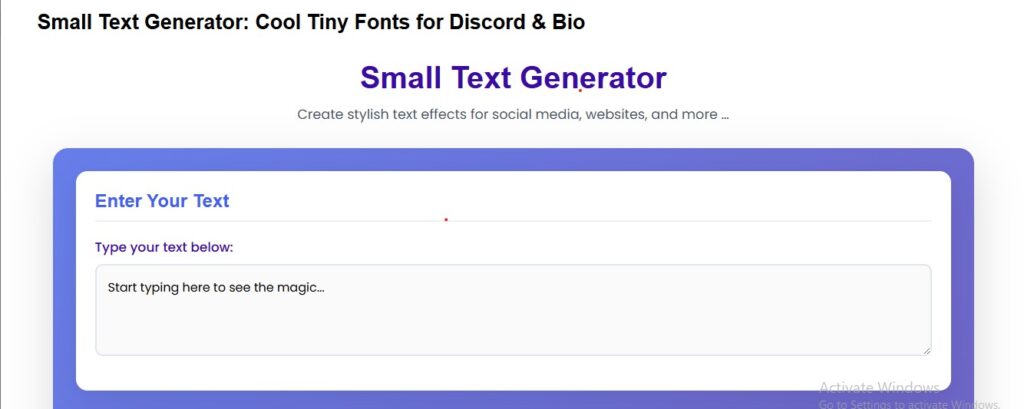
Small Text Generator
Create stylish text effects for social media, websites, and more …
Enter Your Text
Text Transformations
Color Options
Font Styles
Live Preview
Fast & Easy
Generate stylish text in seconds with our intuitive interface
10+ Effects
Choose from multiple text transformations and color options
fully working
Works completely offline with no external dependencies
Fully Responsive
Works perfectly on all devices from mobile to desktop
How to bypass standard character layouts on social profiles and AI chatbots instantly using Unicode formatting.
Digital self-expression has hit a hard ceiling. Millions of internet users daily face rigid text limitations while building out Discord profiles, custom gaming bios, and chat interfaces. Standard text inputs feel monotonous, and major systems do not let you select an alternative font or dial down your font point size. This restriction has sparked a massive shift toward specialized web formatting tools.
Why it matters. The breakthrough solution relies on free utility sites like the AI Zilla Tech Small Text Generator. These platforms bypass standard character parameters entirely by converting normal text strings into small, compact Unicode characters. They do not change your actual font file; instead, they swap your letters out for unique glyphs that maintain their shrunken aesthetic wherever they are pasted. This lets you hack the layout limitations of apps that explicitly block traditional formatting tools.
How Does Unicode Generate Tiny Fonts Free of Charge?
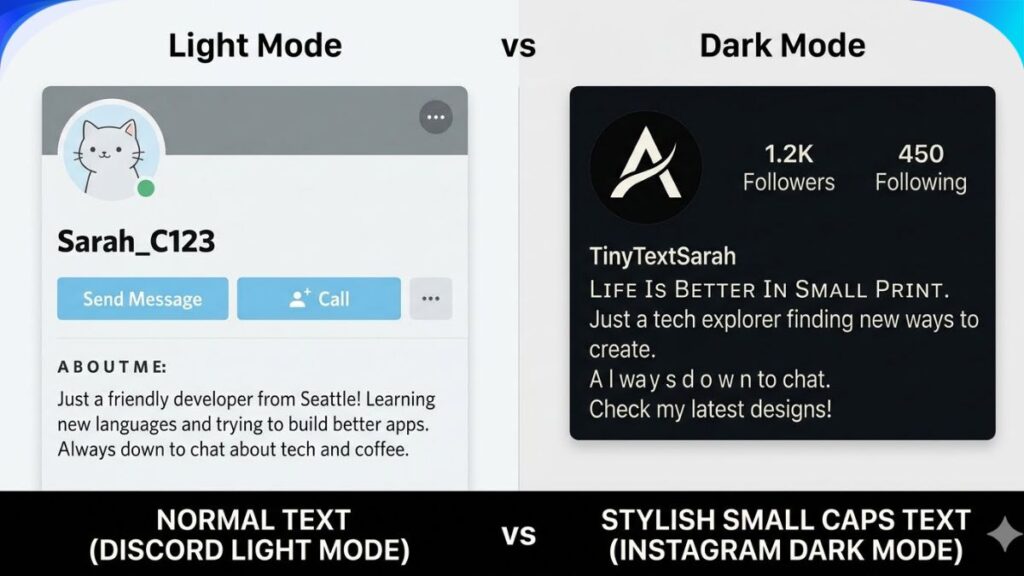
Standard text updates often break because CSS and Markdown rules do not transfer across different apps. When you copy styled text into a platform lacking native support, it instantly defaults back to plain, boring font sizes. Online generators fix this by tapping directly into the global Unicode framework. By swapping normal alphabet strings with dedicated tiny glyphs, your small text remains perfectly styled no matter where you paste it.
How do you force custom character sizes to remain identical across different web platforms? By utilizing entirely independent alphabet character sets mapped deeper within the Unicode ecosystem. The tools simply map your standard keyboard inputs to distinct subscript, superscript, or small capitalization glyphs.
Because these systems recognize the small letters as unique mathematical and linguistic symbols rather than customized styles, they display properly across all modern computing operating systems, gaming clients, and chat interfaces.
The Cross-Platform Formatting Matrix
| Generation Output | Unicode Sub-Type Used | Primary Digital Use Case | Compatibility Success Rate |
| ˢᵐᵃˡˡ ᵗᵉˣᵗ | Superscript Glyphs | Discord Nicknames & Custom Statuses | ~98% Across All Devices |
| ₛₘₐ ₗₗ ₜₑₓₜ | Subscript Glyphs | Gaming Clan Tags & Instagram Bios | ~95% (Some Old Mobile OS Fail) |
| sᴍᴀʟʟ ᴄᴀᴘs | Small Capitalization Font | Character. AI Persona Descriptions & Prompts | ~99% on all modern web browsers |
The Secret Trick to Making Text Small in Character. AI
Pro tip. If you spend time interacting with AI chatbots, you already know that customizing your prompts or building detailed persona descriptions requires highly specific formatting. While web utility applications work beautifully for inline words and characters. AI natively supports an engineered markdown syntax that handles text scaling natively.
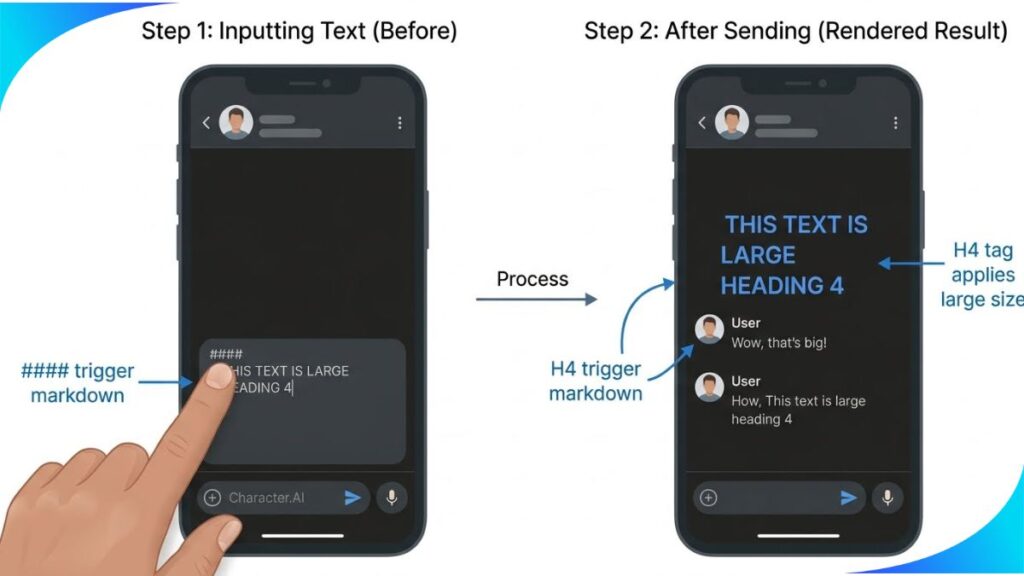
If you want to alter text sizes inside your chat logs or description panels without relying on an external website, you can use consecutive hashtag strings (#) right at the start of a new paragraph line. Each added hashtag shifts the render file to a lower-tier heading size, mimicking a tiny font profile.
Step-by-Step Character. AI Native Formatting:
- Open up your character. AI chat window or character creation workspace.
- Move your cursor to a fresh line and type four hashtags (####) for medium text or five (#####) for the smallest layout.
- Make sure to hit the spacebar once after the final hashtag before typing, or the system will fail to process the font scaling.
- Input exactly one empty space after your final hashtag symbol.
- Type out your desired text and hit enter to process the small font scaling.
What is the primary drawback of using native chatbot markdown over an external generator? Markdown rules force changes onto the entire active line of text. If you want a single word shrunk in the middle of a standard paragraph, markdown will fail completely. In those specific scenarios, you must use an external generator to convert individual words to Unicode before pasting them into the prompt box.
Step-by-Step Guide for Custom Bios and Discord Profiles
The configuration roadmap. Getting these custom layouts live on your personal profiles requires just a few clicks. It requires no software downloads or account setups.
[Normal Text Input] ──> [Generator Processing] ──> [Unicode Translation] ──> [Copy-Paste Anywhere]
1. Convert Your Target Text Phrases
Navigate over to a reliable online resource like the AI Zilla Tech Small Text Generator. Locate the large input text field on the web dashboard. Type or paste your bio phrase directly into the zone. Watch your words instantly pop up in different small formats on the grid.
2. Copy the Proper Unicode Variation
Scan the generated options to choose between standard superscript, subscript, or stylistic small-caps variations. Highlight the specific output line you prefer and copy it directly to your system clipboard.
3. Deploy to Your Social Profiles
Open up your Discord application user settings, or head to your social media edit profile dashboard. Paste the clipboard text string directly into your nickname slot, custom status line, or user bio description area. Save your profile updates to publish the text change live for all users worldwide.
Troubleshooting Broken Symbols and Missing Letters
The rendering trap. Despite Unicode’s global reach, certain legacy devices or unupdated apps will fail to read custom tiny fonts. When this happens, the application renders hollow rectangular boxes—a visual fallback glitch notoriously known in typography as “tofu.” This fallback error indicates that the host system’s built-in font registry lacks the exact character maps needed to display that specific sub-tier of Unicode glyphs.
If you find that your chosen platform blocks a specific superscript configuration, simply head back to your generator tool and copy the Small Caps variant instead. Small caps utilize an incredibly stable character set that integrates with older operating systems and platforms smoothly, eliminating layout errors entirely.